
Your whole business, in your pocket.
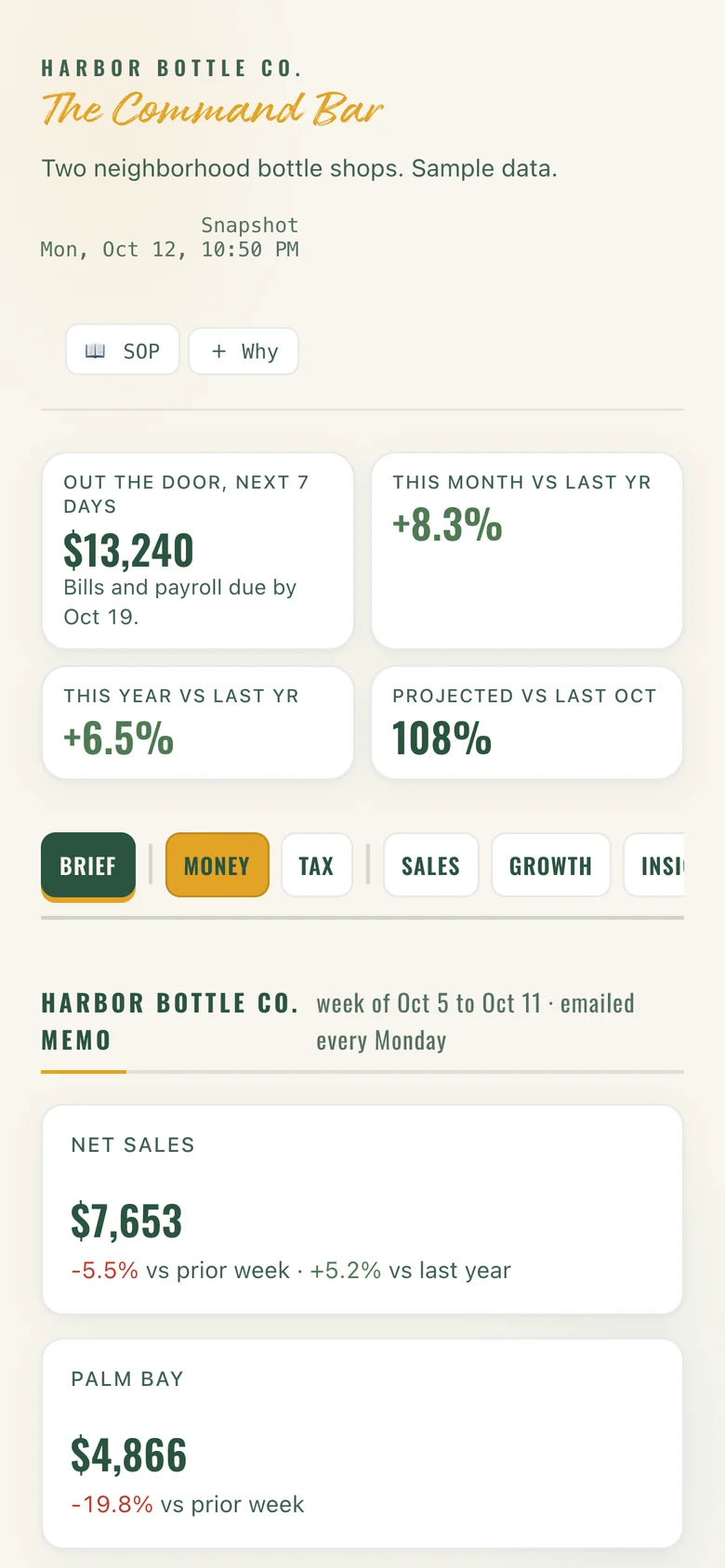
The Command Bar works on any phone, tablet or laptop. There's no app to download and no logins to juggle: one link, your password, and every number that matters.

The full board, not a cut-down app.
Every tab you'd see on a laptop fits your phone: sales, cash, bills, stock and team. Check it in line for coffee, between deliveries or from the parking lot.
- Updates every 30 minutes on its own
- Big, readable numbers built for a phone screen
- Password-protected, so it's yours alone
It taps you on the shoulder.
You don't have to go looking. A short email lands when something needs you: the Monday memo, a day that looked off, a bill coming due, the stock to move before the weekend.
- Only when it matters, never a flood
- Every heads-up links straight to the right screen
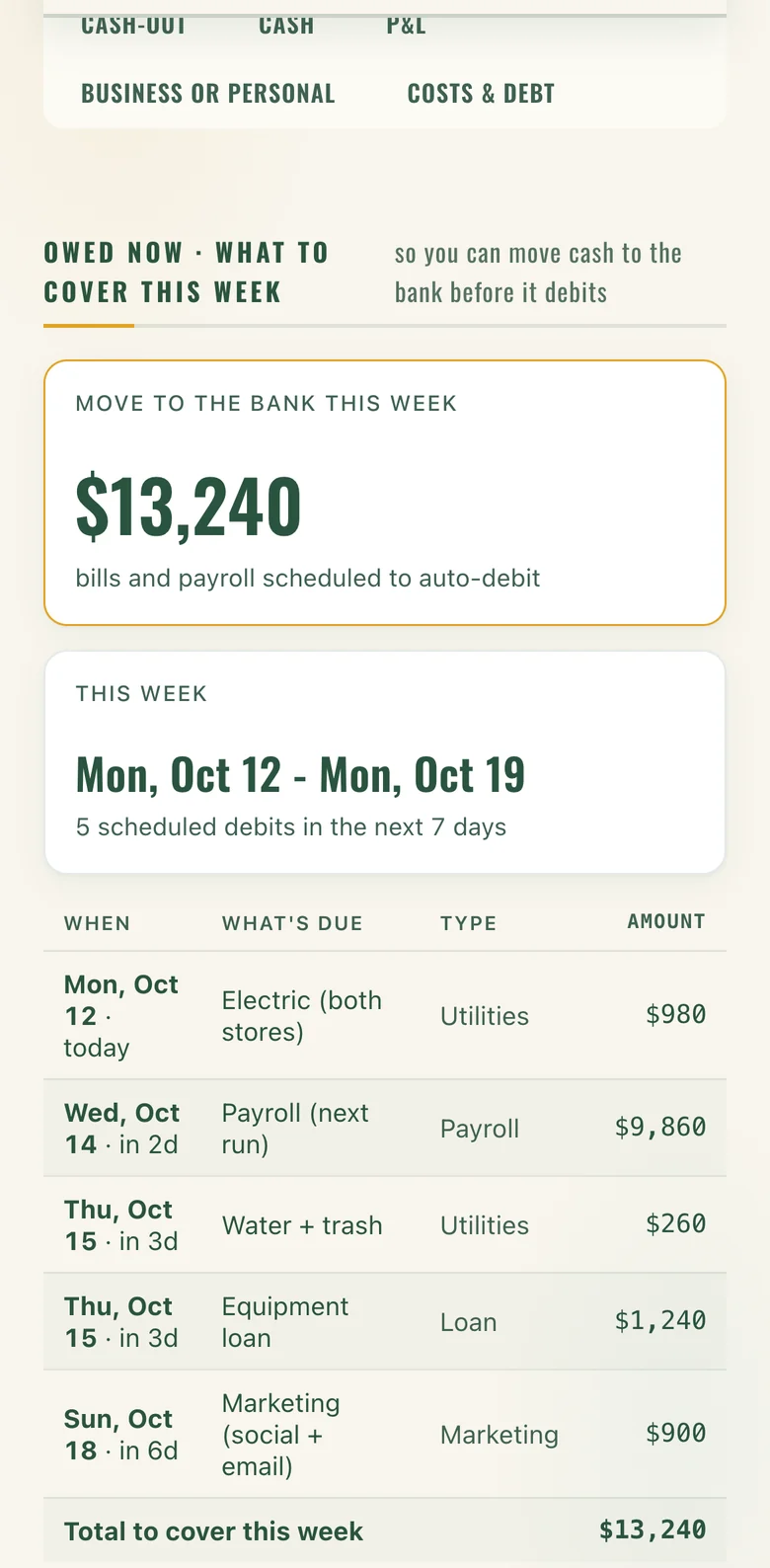
Know what to move before it moves.
See this week's bills and payroll with the exact days they debit, so you can shift cash to the bank from your phone before anything bounces.
The iPad at the register runs the floor.
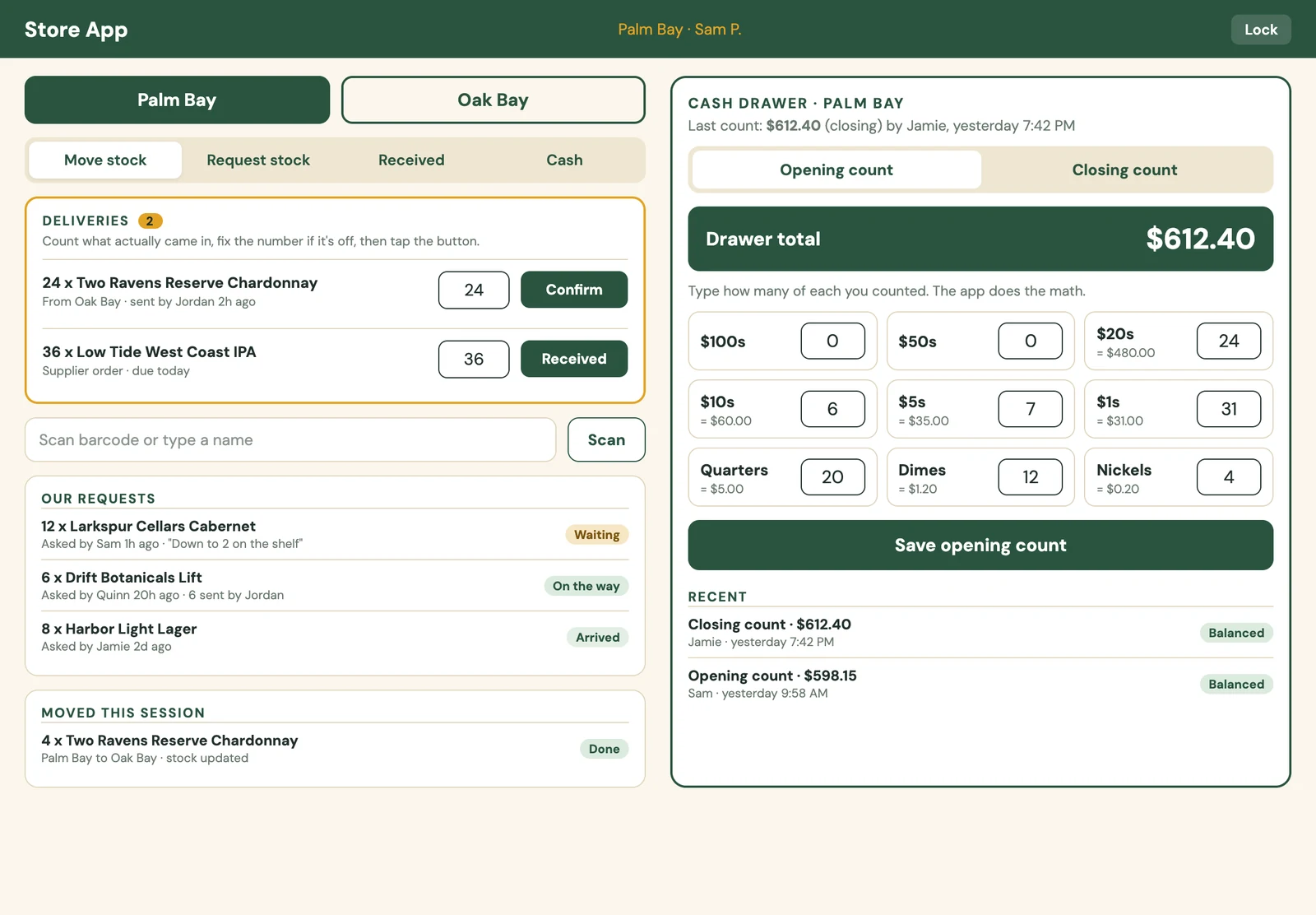
With the Store App, your staff handle the day-to-day on the store iPad, and every count, delivery and request shows up on your board right away.
Drawer counts
Counted at every open and close, with a heads-up when a drawer runs heavy or low.
Deliveries
Staff confirm what arrived, so you know what's really on the shelf.
Transfers
Scan a bottle, move it between stores, and stock updates on its own.
Requests
"We're down to two on the shelf" goes to you, not into a text thread.
Staff see only their job. No sales totals, no bank, no bills, no pay. Each person signs in with their own PIN, and the iPad locks itself when it sits idle.
The Store App is an add-on for Full.
On your home screen in ten seconds.
Open your link
We send you one private link when your board goes live.
Add to Home Screen
Tap Share, then Add to Home Screen. It sits next to your other apps.
Open it every morning
Enter your password once on that device, and you're in.
Open the demo on your phone and poke around.
It's a full board for a made-up shop. Tap anything; nothing is saved.
Screens show Harbor Bottle Co., our demo shop, with sample data.